
LVM – Logical Volume Manager
=======================
Tested in CentOS 7.
Physical Hard Drive ==> Physical Volume ==> Volume Group ==> Logical Volume ==> File-system ==> Mount point
LVM is disk management solution, to manage disk space more effectively.
LVM allow ADD , RESIZE , REMOVE volume size online in the existing volume without taking any downtime.
Basic idea about how to create LVM in linux.
- Select Correct Disk to be use for LVM.
- Create Physical Volume (PV).
- Create Volume Group (VG) on Physical Volumes.
- Create Logical Volume (LV) on Volume Group.
- Create Filesystem on Logical Volume.
Create Physical Volume.
# pvcreate /dev/sdb /dev/sdc

To view the physical volume (PV) information.
# pvscan

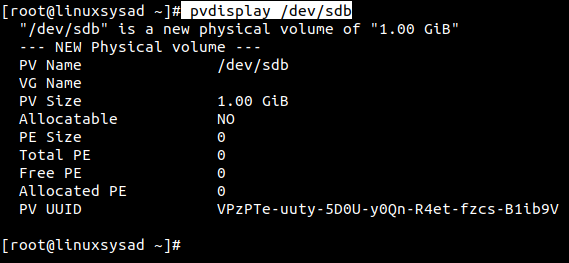
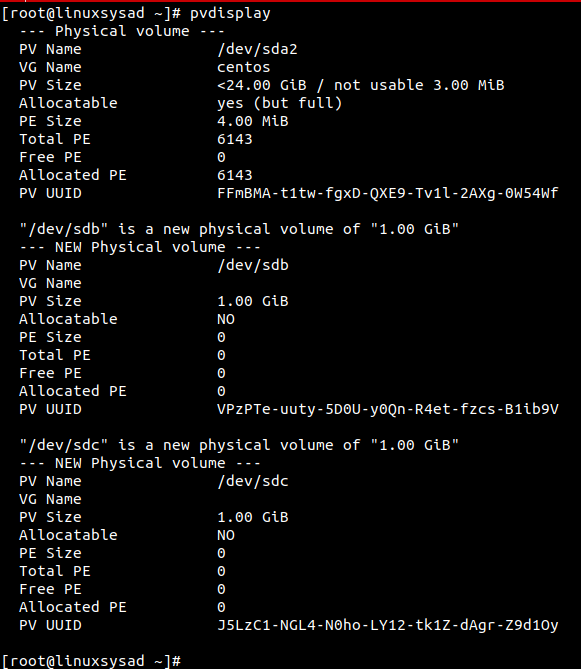
PVdisplay command to view physical volume (PV) size, physical extend size, free space etc.
only pvdisplay command shows all pysical volumes in system. if want to view saperate physical volume run below command.
# pvdisplay /dev/sdb
Create Volume group (VG) over physical volume (PV).
# vgcreate vgdata /dev/sdb /dev/sdc

Display newly created volumegroup vgdata.
Parameters used : -v for verbose
# vgdisplay -v vgdata
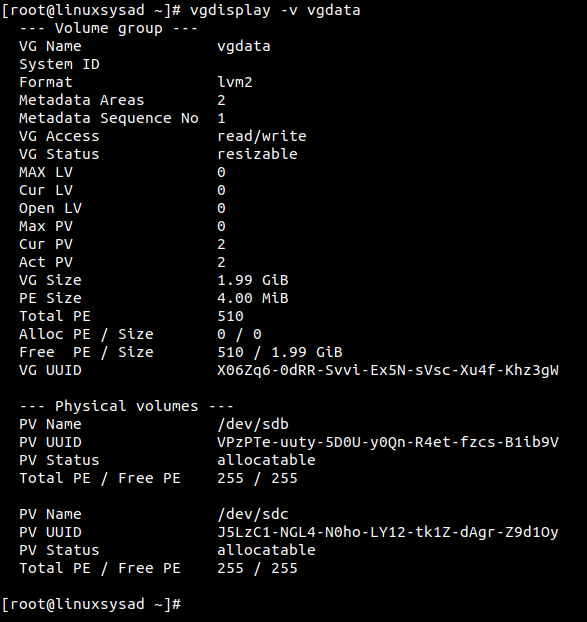
Please note, Physical extent PE default size is 4 MB
What is Physical Extents PE ?
Physical volume is divided chunks of data, known as physical extents, these extents have the same size as the logical extents for the volume group.
Create Logical Volume (LV) over Volume Group (VG).
Parameters used : -L for specify volume size in G(GB), M(MB)
-n for specify Logical volume name.
# lvcreate -L 1GB -n lvdata vgdata

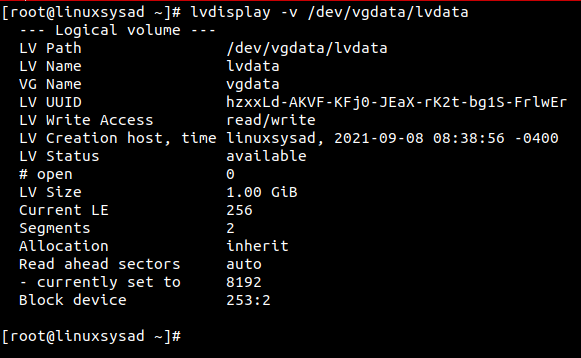
Display Logical volume information. (in /dev vgdata direcotry created after lvcreate command. we need to spacify path to check LV info )
# lvdisplay -v /dev/vgdata/lvdata
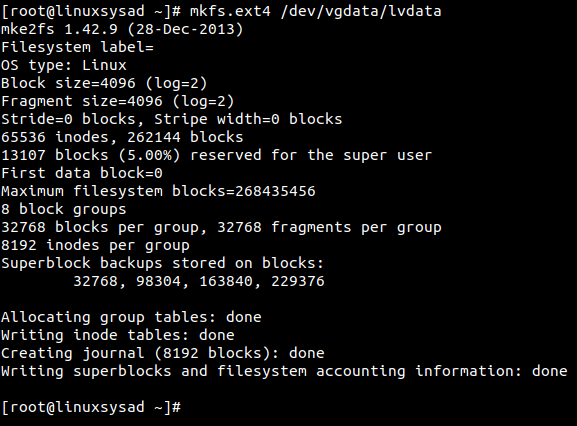
Lets create filesystem or format our new logical volume(LV) for use.
Parameters Used: mkfs.ext4 for format LV in linux ext4 filesystem.
# mkfs.ext4 /dev/vgdata/lvdata
Lets mount our new LV on /mnt/data directory.
# mkdir /mnt/data
# mount /dev/vgdata/lvdata /mnt/data

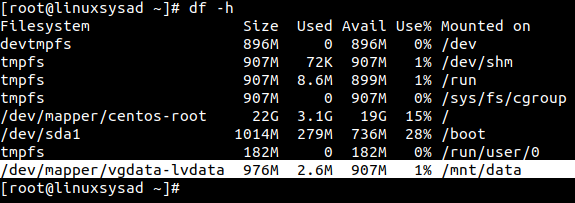
Check mounted Logical volume using df -h command.
# df -h
🙂👍


 Linuxsysad